Closed testing on Google Play
Join the RepoGlance closed test.
RepoGlance 0.4.0-beta.1 is a closed test on Google Play. It runs on Android 12 or newer and is made for Pixel phones and foldables. Joining takes a Google account and a few minutes.
Three steps
Google Play checks membership in the testers group, so the group comes first.
- Join the RepoGlance testers Google Group with the Google account you use on Google Play. Anyone on the web can join. RepoGlance testers on Google Groups
- Accept the test on Google Play. The opt-in link is not published yet; it will appear here as soon as Google Play shows it.
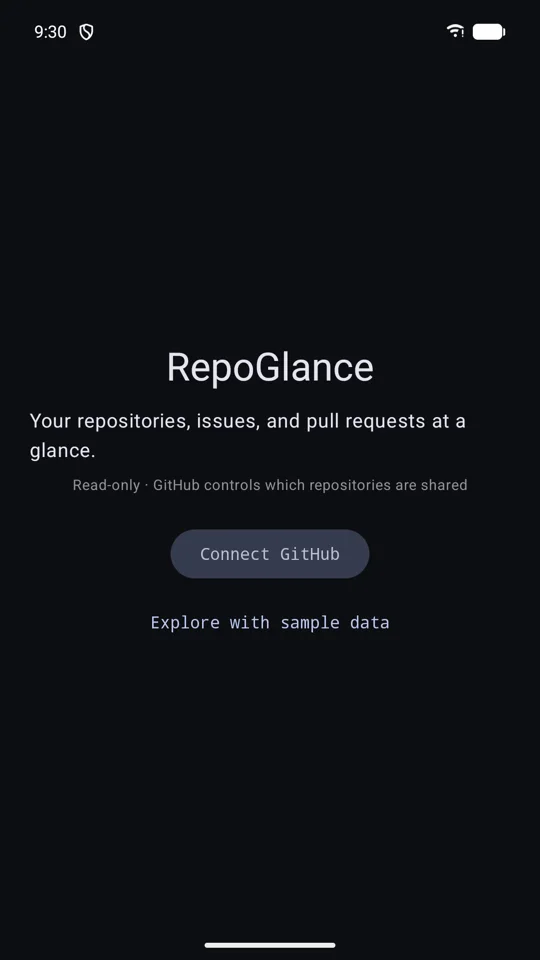
- Install RepoGlance from Google Play. On the first screen, sign in with GitHub, or tap Explore with sample data to try everything on made-up repositories.
Joining the group installs nothing. Leave the group at any time to leave the test.
What this build does
- Sign in with GitHub's device flow and pin the repositories you share with RepoGlance.
- Open a repository's issues and pull requests; a tap opens the thread in the GitHub app.
- Add Repository and Pinned repos widgets from Widgets in the app's menu or from your home screen's widget picker, plus a Quick Settings tile.
- Explore with sample data to try all of it without an account.
- Not yet: a CI column.
Feedback
Report problems and ideas as GitHub issues. Say which phone and Android version you are on, and whether you were in sample mode or signed in.
Open an issuePrivacy
RepoGlance has no server and collects nothing. The privacy policy explains what stays on your phone and how to remove it.
Privacy policy